< Back
No se ha encontrado ningún artículo.

Comprehensive High-Output Robotic Universal-NDT System (CHORUS) is the first inspection platform designed to evolve, built for the inspection of large and small composite parts, forgings, and other metallic components. CHORUS is optimized for Ultrasonic Testing techniques (PE, TTU, PAUT) as well as a wide range of NDT techniques such as EMAT, Eddy Current, Radiography, Thermography, and Shearography.

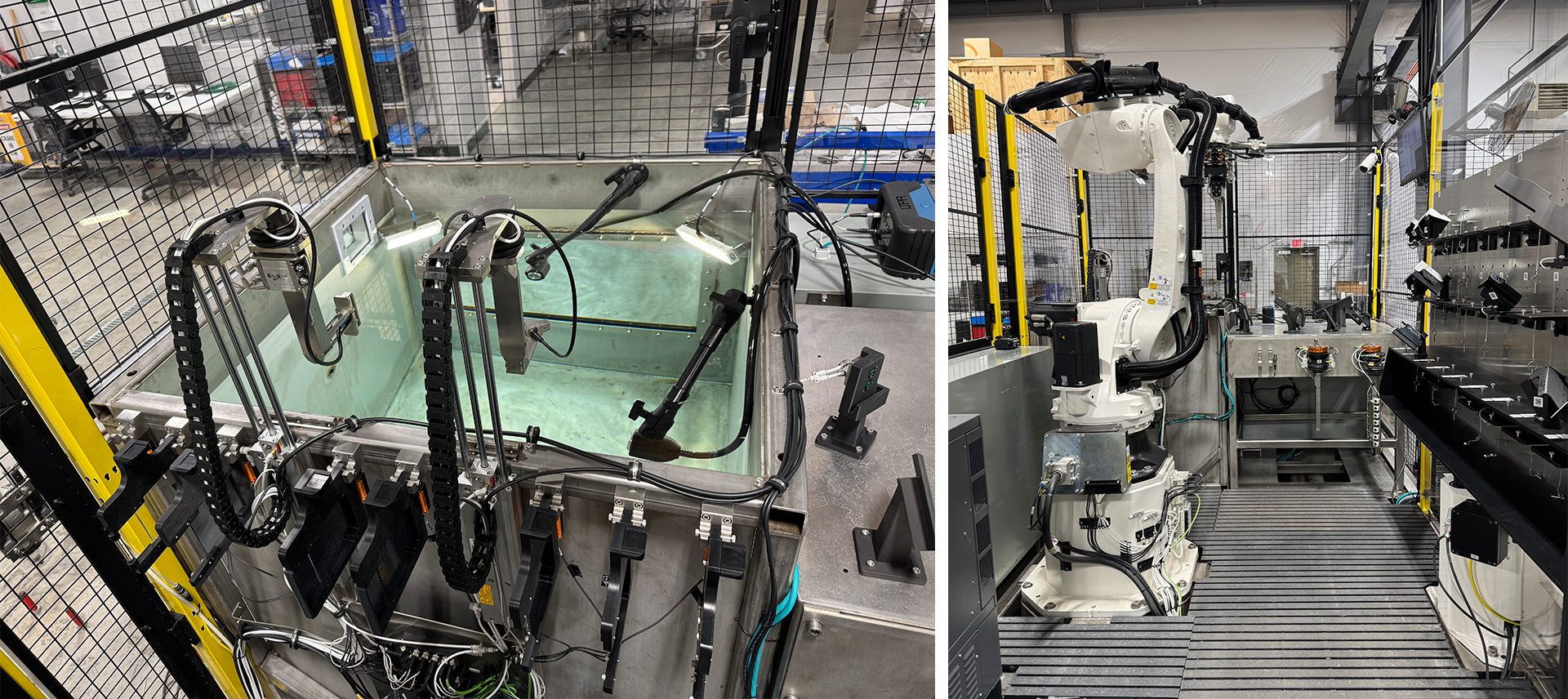
The flexible CHORUS system can be integrated with tracks, turntables, rotating scanners, part actuators, and immersion tanks in single and multiple robot configurations working separately or together.

Standard UT inspection systems include:

  • Single Robot (6-axis). Water-column UT/PAUT, Immersion Tank, and TTU with a yoke.
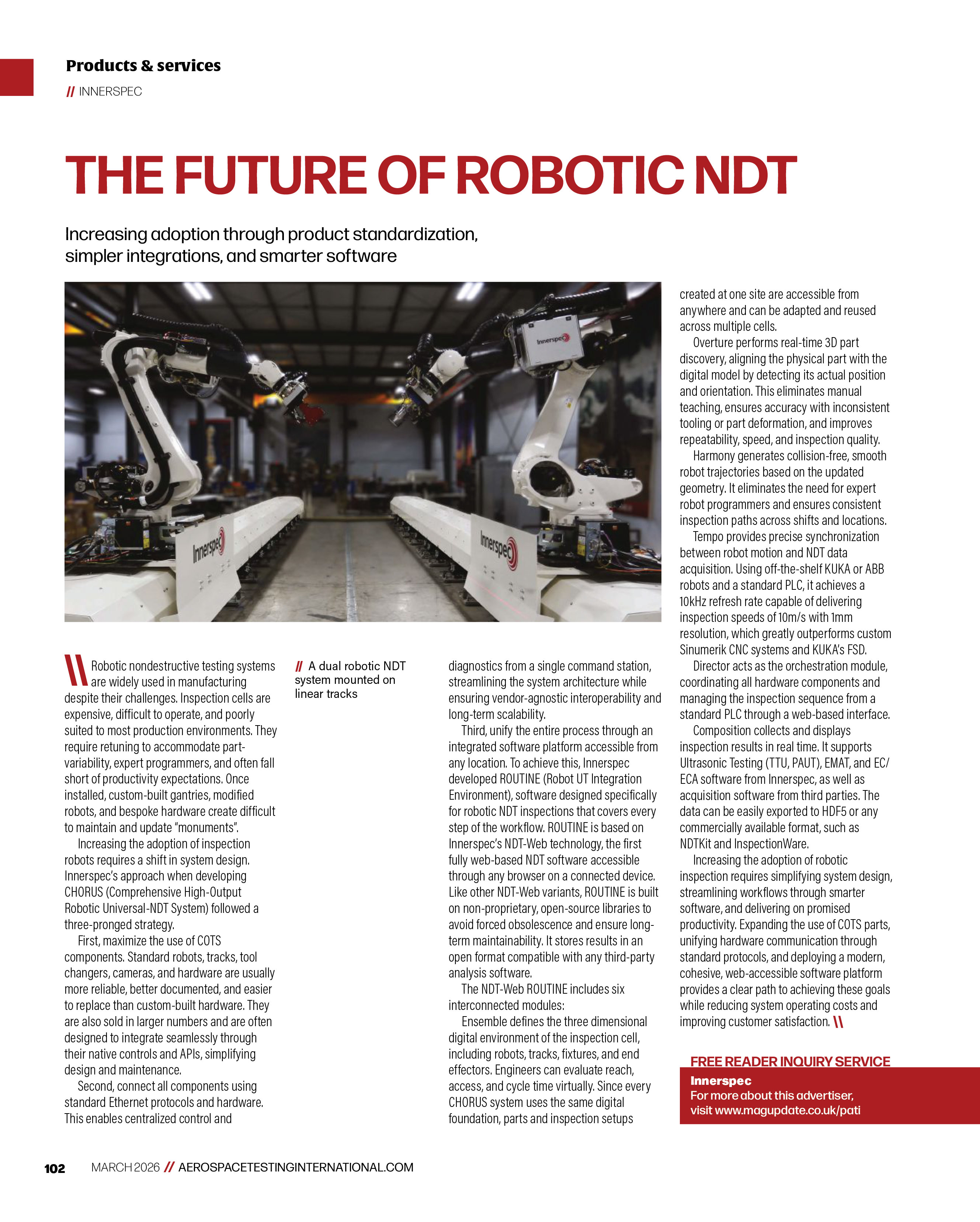
  • Dual Robot (6-axix * 2). Water-column UT/PAUT, Immersion Tank, dual robot TTU. Inspecting on shared or separate areas simultaneously.

CHORUS has been optimized to inspect complex aerospace components with irregular edges, cut-outs, radii, T and Ω stringers, and intricate double curvatures.

‍NDT-WEB ROUTINE

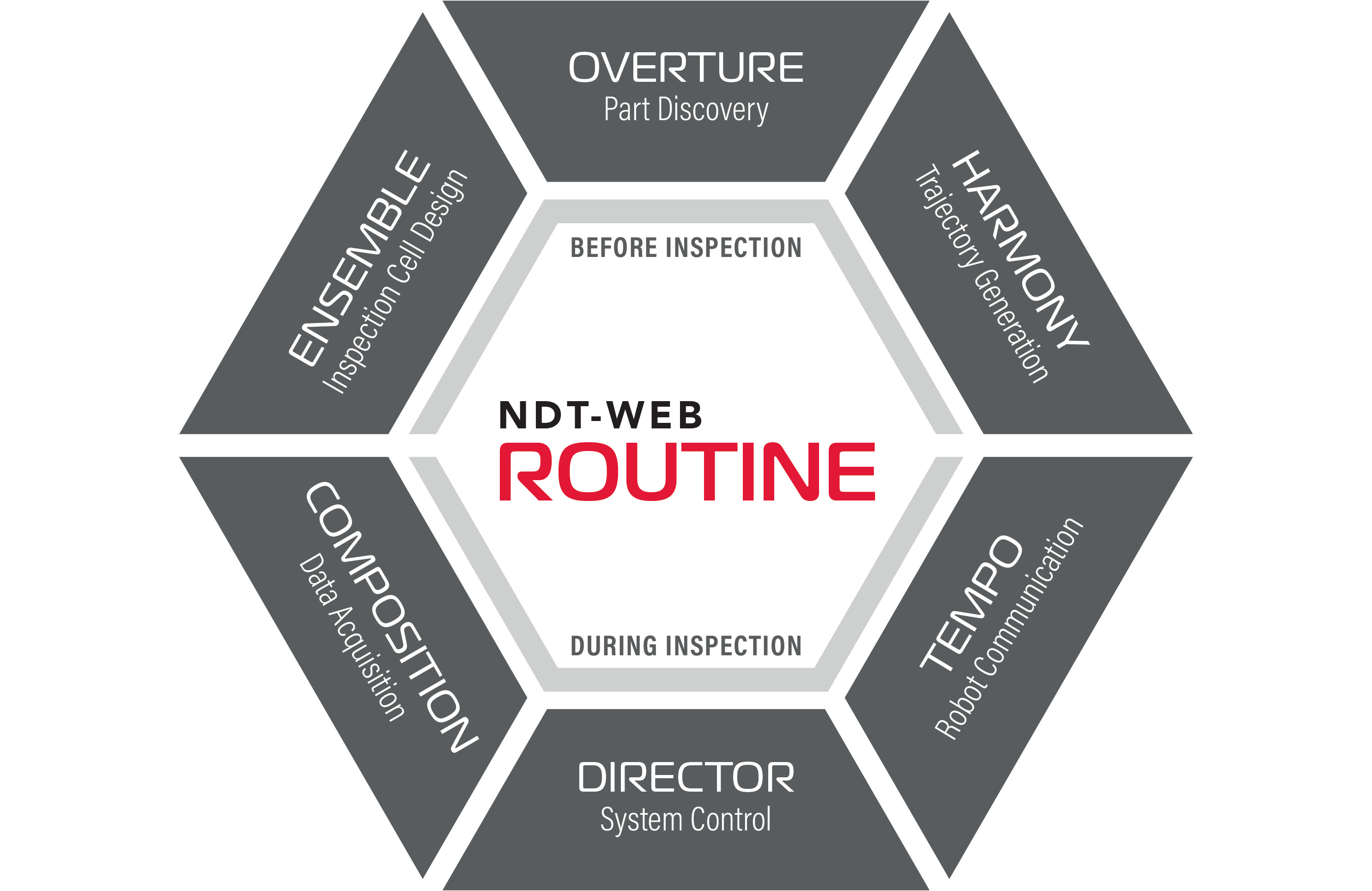
CHORUS robotic systems include Innerspec’s NDT-WEB ROUTINE (Robot UT Integration Environment), a suite of web-based and seamlessly integrated sub-programs covering all the Offline and Online processes required to manage the inspection.

Before Inspection Software:

  • ENSEMBLE: Inspection Cell Design. Provides tools to design and share designs among different facilities.
  • OVERTURE: Part Discovery using 2D lasers and cameras to find and create a 3D model of the object to be inspected.
  • HARMONY: Automatic Trajectory Generation synchronized with the motion of the robot.

During Inspection Software:

  • TEMPO: Ultra-low latency Robot Communication protocol that ensures swift and seamless data exchange between the robot and the NDT instrumentation. Available for both KUKA and ABB robots.
  • DIRECTOR: System Control software that coordinates all online processes during inspection.
  • COMPOSITION: Data Acquisition NDT software. The system can be integrated with instrumentation and software from Innerspec and other manufacturers (e.g. UTEX InspectionWare).

CHORUS hardware and software is designed in the USA‍.

Applications:

Comprehensive High-Output Robotic Universal-NDT System (CHORUS) is the first inspection platform designed to evolve, built for the inspection of large and small composite parts, forgings, and other metallic components. CHORUS is optimized for Ultrasonic Testing techniques (PE, TTU, PAUT) as well as a wide range of NDT techniques such as EMAT, Eddy Current, Radiography, Thermography, and Shearography.

The flexible CHORUS system can be integrated with tracks, turntables, rotating scanners, part actuators, and immersion tanks in single and multiple robot configurations working separately or together.

Standard UT inspection systems include:

  • Single Robot (6-axis). Water-column UT/PAUT, Immersion Tank, and TTU with a yoke.
  • Dual Robot (6-axix * 2). Water-column UT/PAUT, Immersion Tank, dual robot TTU. Inspecting on shared or separate areas simultaneously.

CHORUS has been optimized to inspect complex aerospace components with irregular edges, cut-outs, radii, T and Ω stringers, and intricate double curvatures.

‍NDT-WEB ROUTINE

CHORUS robotic systems include Innerspec’s NDT-WEB ROUTINE (Robot UT Integration Environment), a suite of web-based and seamlessly integrated sub-programs covering all the Offline and Online processes required to manage the inspection.

Before Inspection Software:

  • ENSEMBLE: Inspection Cell Design. Provides tools to design and share designs among different facilities.
  • OVERTURE: Part Discovery using 2D lasers and cameras to find and create a 3D model of the object to be inspected.
  • HARMONY: Automatic Trajectory Generation synchronized with the motion of the robot.

During Inspection Software:

  • TEMPO: Ultra-low latency Robot Communication protocol that ensures swift and seamless data exchange between the robot and the NDT instrumentation. Available for both KUKA and ABB robots.
  • DIRECTOR: System Control software that coordinates all online processes during inspection.
  • COMPOSITION: Data Acquisition NDT software. The system can be integrated with instrumentation and software from Innerspec and other manufacturers (e.g. UTEX InspectionWare).

CHORUS hardware and software is designed in the USA‍.

Applications:

¿Qué es un elemento de texto enriquecido?

El elemento de texto enriquecido le permite crear y dar formato a títulos, párrafos, citas en bloque, imágenes y vídeos, todo en un solo lugar en lugar de tener que añadirlos y darles formato individualmente. Sólo tienes que hacer doble clic y crear contenido fácilmente.

Edición de contenidos estáticos y dinámicos

Un elemento de texto enriquecido puede utilizarse con contenido estático o dinámico. Para el contenido estático, basta con soltarlo en cualquier página y empezar a editarlo. Para el contenido dinámico, añada un campo de texto enriquecido a cualquier colección y luego conecte un elemento de texto enriquecido a ese campo en el panel de configuración. Y ya está.

Cómo personalizar el formato de cada texto enriquecido

Los títulos, los párrafos, las citas en bloque, las figuras, las imágenes y las leyendas de las figuras pueden ser estilizados después de añadir una clase al elemento de texto enriquecido utilizando el sistema de selector anidado "When inside of".

¿Qué es un elemento de texto enriquecido?

El elemento de texto enriquecido le permite crear y dar formato a títulos, párrafos, citas en bloque, imágenes y vídeos, todo en un solo lugar en lugar de tener que añadirlos y darles formato individualmente. Sólo tienes que hacer doble clic y crear contenido fácilmente.

Edición de contenidos estáticos y dinámicos

Un elemento de texto enriquecido puede utilizarse con contenido estático o dinámico. Para el contenido estático, basta con soltarlo en cualquier página y empezar a editarlo. Para el contenido dinámico, añada un campo de texto enriquecido a cualquier colección y luego conecte un elemento de texto enriquecido a ese campo en el panel de configuración. Y ya está.

Cómo personalizar el formato de cada texto enriquecido

Los títulos, los párrafos, las citas en bloque, las figuras, las imágenes y las leyendas de las figuras pueden ser estilizados después de añadir una clase al elemento de texto enriquecido utilizando el sistema de selector anidado "When inside of".

If you would like any more information on this system, please contact us, and one of our experts will be in touch.
CONTACT