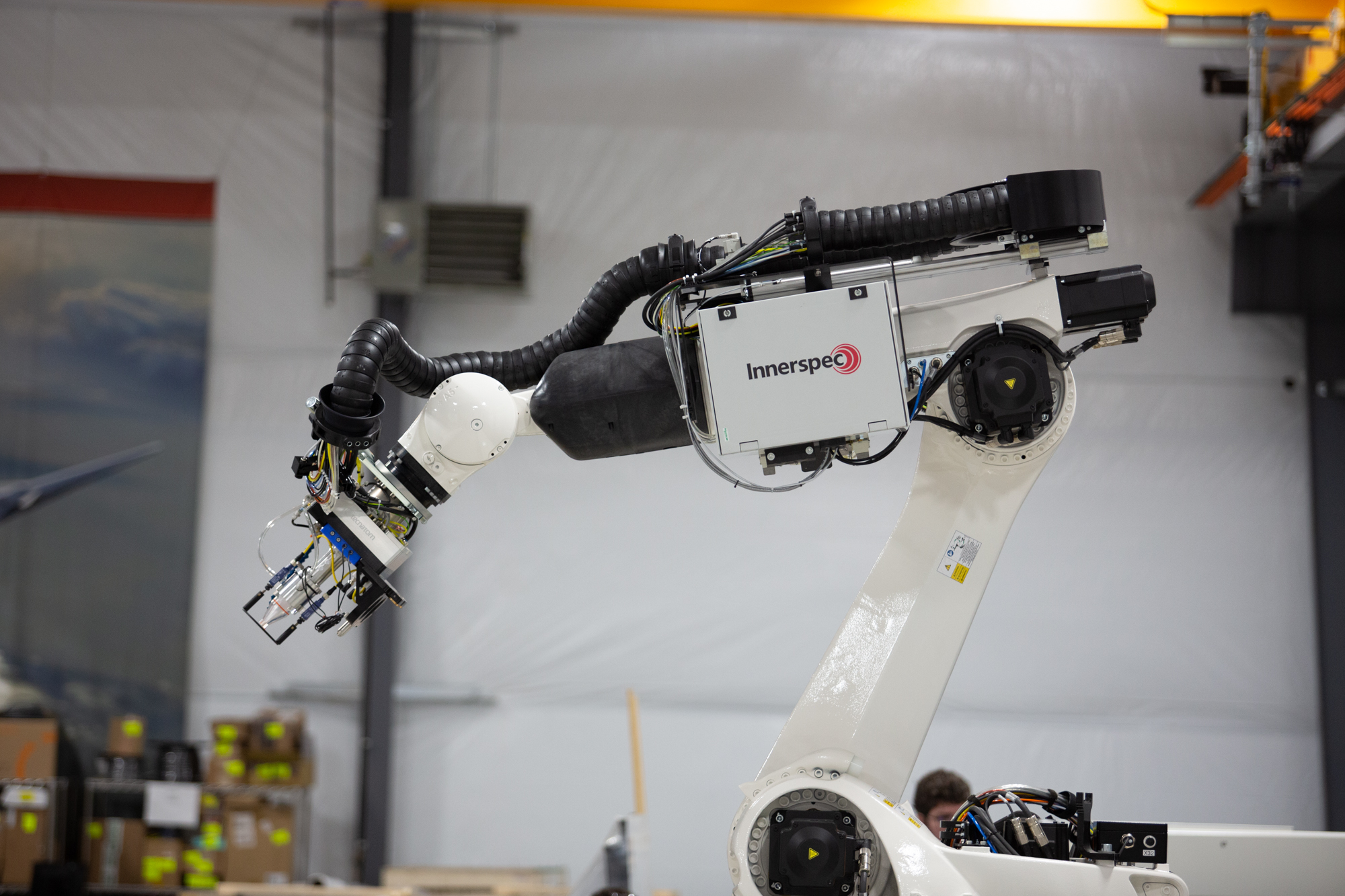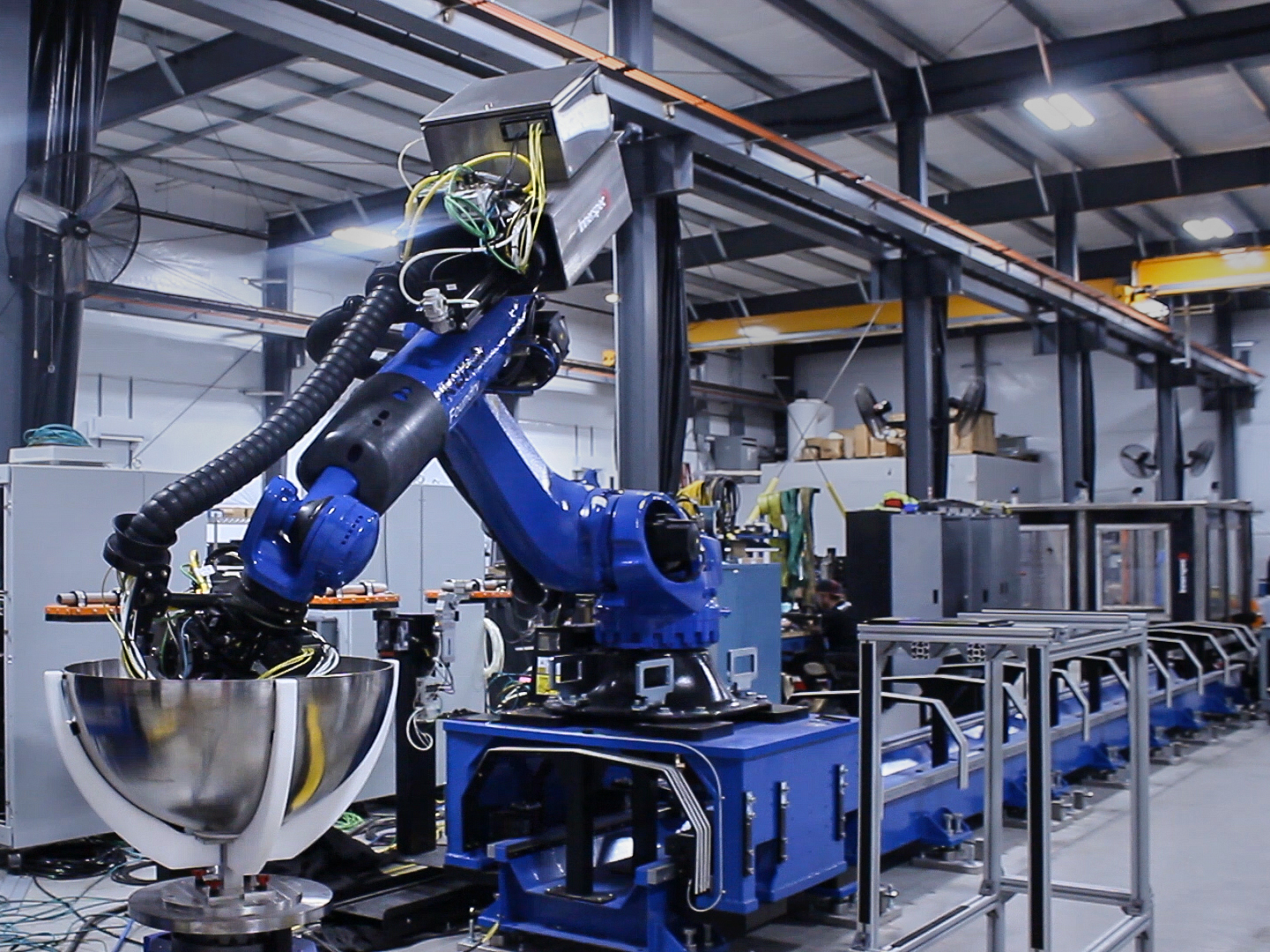
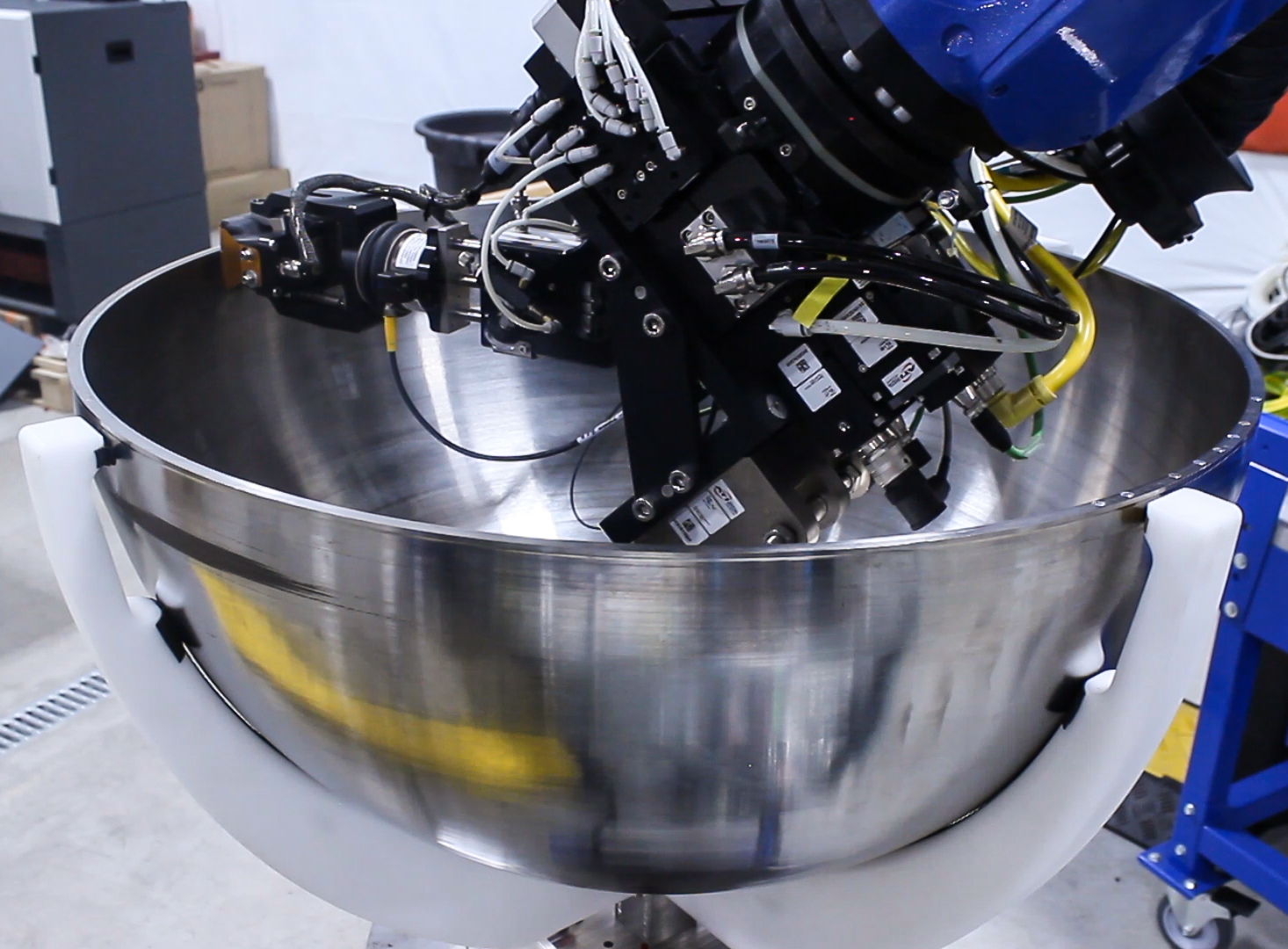
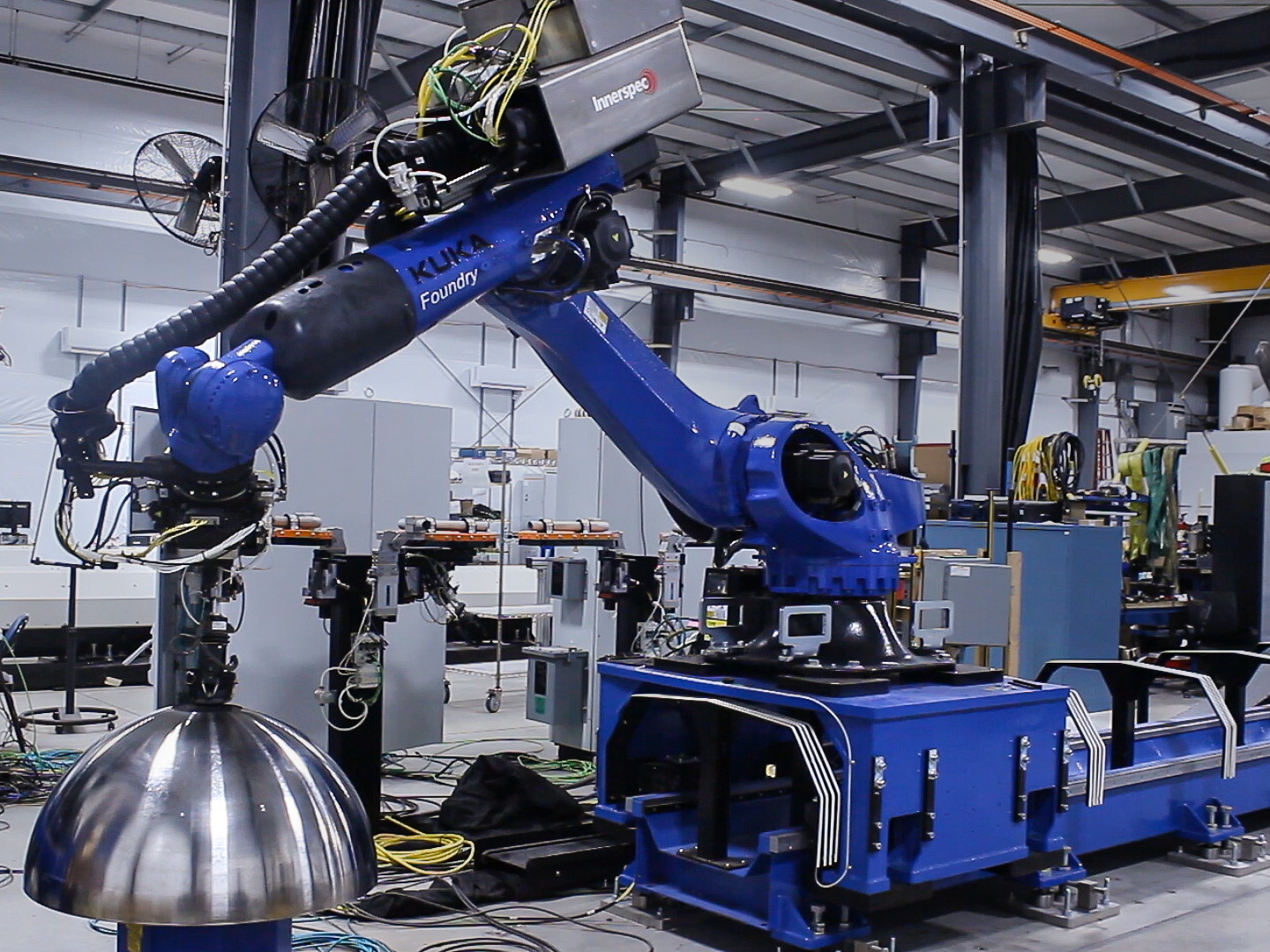
CHORUS Roboter bieten eine flexible und hochproduktive Plattform für die Inspektion von Rotationsflächen, wie Kuppeln und Konen, sowie nicht-achsymmetrischen runden Formen, wie Einlauflippenverkleidungen, die in der Luft- und Raumfahrtindustrie weit verbreitet sind.
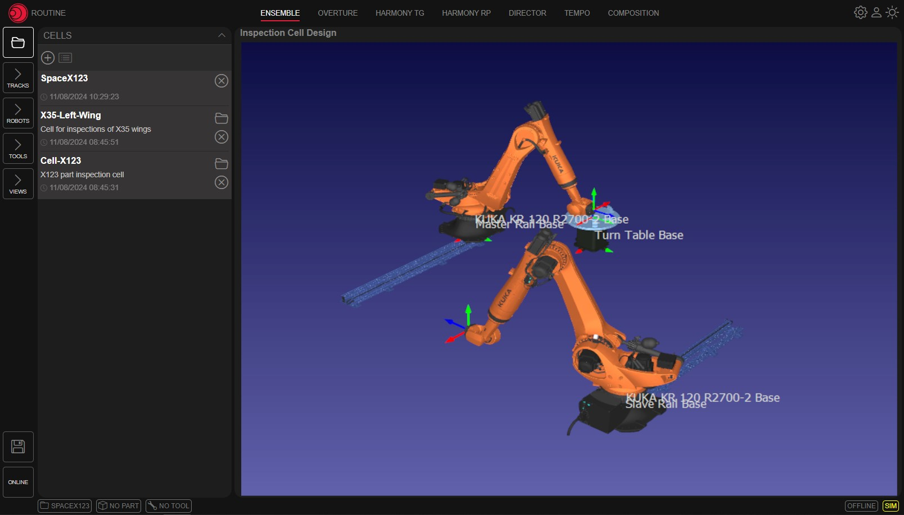
Die Teile werden typischerweise auf einem Drehtisch montiert, der kontinuierliche oder diskrete Rotationspunkte bietet, während der Roboterarm das Bauteil scannt. Der Roboter kann sich an Geometrieabweichungen anpassen und verschiedene Pfade sowie erneute Scans spezifischer Bereiche je nach den Anforderungen der zerstörungsfreien Prüfung (ZfP) bereitstellen.
CHORUS kann je nach erforderlicher Inspektion mit verschiedenen Endeffektoren (EOAT) ausgestattet werden:
CHORUS Roboter bieten eine flexible und hochproduktive Plattform für die Inspektion von Rotationsflächen, wie Kuppeln und Konen, sowie nicht-achsymmetrischen runden Formen, wie Einlauflippenverkleidungen, die in der Luft- und Raumfahrtindustrie weit verbreitet sind.
Die Teile werden typischerweise auf einem Drehtisch montiert, der kontinuierliche oder diskrete Rotationspunkte bietet, während der Roboterarm das Bauteil scannt. Der Roboter kann sich an Geometrieabweichungen anpassen und verschiedene Pfade sowie erneute Scans spezifischer Bereiche je nach den Anforderungen der zerstörungsfreien Prüfung (ZfP) bereitstellen.
CHORUS kann je nach erforderlicher Inspektion mit verschiedenen Endeffektoren (EOAT) ausgestattet werden:
Mit dem Rich-Text-Element können Sie Überschriften, Absätze, Blockquotes, Bilder und Videos an einem Ort erstellen und formatieren, anstatt sie einzeln hinzufügen und formatieren zu müssen. Doppelklicken Sie einfach und erstellen Sie ganz einfach Inhalte.
Ein Rich-Text-Element kann mit statischem oder dynamischem Inhalt verwendet werden. Bei statischen Inhalten können Sie sie einfach auf einer beliebigen Seite ablegen und mit der Bearbeitung beginnen. Fügen Sie für dynamische Inhalte einer beliebigen Sammlung ein Rich-Text-Feld hinzu und verbinden Sie dann im Einstellungsbereich ein Rich-Text-Element mit diesem Feld. Voilà!
Überschriften, Absätze, Blockzitate, Abbildungen, Bilder und Bildunterschriften können alle nach dem Hinzufügen einer Klasse zum Rich-Text-Element mithilfe des verschachtelten Auswahlsystems „Wenn innerhalb von“ gestaltet werden.
Mit dem Rich-Text-Element können Sie Überschriften, Absätze, Blockquotes, Bilder und Videos an einem Ort erstellen und formatieren, anstatt sie einzeln hinzufügen und formatieren zu müssen. Doppelklicken Sie einfach und erstellen Sie ganz einfach Inhalte.
Ein Rich-Text-Element kann mit statischem oder dynamischem Inhalt verwendet werden. Bei statischen Inhalten können Sie sie einfach auf einer beliebigen Seite ablegen und mit der Bearbeitung beginnen. Fügen Sie für dynamische Inhalte einer beliebigen Sammlung ein Rich-Text-Feld hinzu und verbinden Sie dann im Einstellungsbereich ein Rich-Text-Element mit diesem Feld. Voilà!
Überschriften, Absätze, Blockzitate, Abbildungen, Bilder und Bildunterschriften können alle nach dem Hinzufügen einer Klasse zum Rich-Text-Element mithilfe des verschachtelten Auswahlsystems „Wenn innerhalb von“ gestaltet werden.